 English
  Русский
How to fix remote control buttons: restoring contacts with conductive glue
Updated:
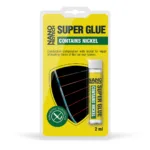
To fix remote control buttons, open the remote, clean the contacts and apply a nickel conductive compound to the worn areas — no soldering iron is needed. NANOPROTECH Conductive glue is suitable for circuit boards and contacts, including those in remote controls and keyboards: it is applied in two coats, and the repaired device should not be used until at least 2 hours later.
What you need
Why remote control buttons stop working
- The whole remote does not work. Replace the batteries first and check whether the contacts in the battery compartment have oxidised; see how to clean oxidised contacts. If the remote still does not respond, the cause may be in the remote itself or in the device.
- Individual buttons do not respond. Usually a contact is worn or dirty: the conductive pad on the underside of the rubber button or the contact pad on the board. At first the button needs a harder press, then it stops working altogether.
- A track on the board is damaged, for example after a liquid spill. Circuit board tracks are also restored with a conductive compound.
How to fix a TV remote button — step by step
- Remove the batteries and open the remote. Open the housing and take out the board and the button keypad. Note how they were fitted.
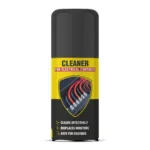
- Clean and degrease the contacts. Remove dirt from the contact pads on the board and the underside of the buttons with NANOPROTECH Electrical contact cleaner or isopropyl alcohol, and let them dry completely.
- Check the conditions. Work at around +25 °C, and not below +10 °C: at lower temperatures the chemical reaction slows down.
- Shake the bottle. Shake the glue thoroughly until uniform: the nickel filler makes up to 60% of the compound and needs to be mixed well.
- Apply two thin coats. Straight after mixing, apply a thin coat to the worn contact with a fine brush or a sharpened stick, and a second coat a minute later. Shake the bottle again before each coat. Keep the compound off neighbouring tracks: it conducts current.
- Let it dry. The compound dries in about 15–20 minutes.
- Reassemble the remote and wait 2 hours. Refit the board and buttons and insert the batteries. To be on the safe side, do not use the remote until at least 2 hours after the repair.
The same method restores contacts on keyboards, including membrane keyboards, and circuit board tracks. For repairing rear window heating lines with the same glue, see heated rear window not working.
Why it may not work
- The compound was not mixed well. Shake the nickel filler until uniform before application and before each coat. Check that both coats have been applied and the contact has dried.
- The contact was not cleaned and degreased. On a dirty or greasy pad the compound holds poorly and does not restore the contact.
- The remote was used too soon, or the repair was done in the cold. Use the device no earlier than 2 hours after the repair, and work at +10 °C or above.
- A flexible ribbon cable was repaired. On ribbon cables that flex in use, a restored track cracks, so such cables are replaced.
Safety precautions
- Remove the batteries before the repair: repair the device only when it is disconnected from power.
- The compound is designed for low-current circuits: buttons, keyboards, signal tracks. Power circuits, chargers and mains-powered devices are not repaired with it.
- The compound is flammable: work away from open flames and heaters, in a ventilated room.
- Avoid contact with eyes; if it happens, rinse them with running water for 5–10 minutes. Wash your hands with soap and water after work.
- Keep the bottle out of the reach of children.
Frequently asked questions
Why do remote control buttons stop working?
Most often the button contact or the pad on the board is worn or dirty. If the whole remote does not work, replace the batteries first and check the battery compartment contacts.
A remote button does not work — how do I fix it without soldering?
Restore the contact with a conductive compound. Open the remote, clean and degrease the contact on the board or the rubber button, and apply two thin coats of nickel glue a minute apart, shaking the bottle before each coat. No soldering iron is needed.
How soon can I use the remote after the repair?
After 2 hours at the earliest. The compound dries in about 15–20 minutes, but to be on the safe side the repaired device is switched on no earlier than 2 hours later.
Which conductive glue is suitable for remote controls?
A nickel-filled conductive glue for contacts: it restores conductivity without soldering and suits circuit boards and contacts in remote controls and keyboards. It is for low-current circuits, not power circuits.
Can a keyboard be repaired this way?
Yes, including a membrane keyboard: the compound suits keyboard contacts and tracks on circuit boards and film, and the procedure is the same. Flexible ribbon cables that bend in use are not repaired this way.
More solutions
- Heated rear window not working: how to find a broken line and repair it
- How to use epoxy putty (cold weld): preparation, mixing, application, storage
- Blue vs red threadlocker: how to choose, apply and undo it
- How to fix a leaking pipe with epoxy putty: metal pipes, taps and radiators
- How to fix a fuel tank or radiator leak: a temporary repair with epoxy putty
- How to glue glass: clear UV glue, light and step-by-step instructions
Still have questions?
Describe your task and a NANOPROTECH technical specialist will suggest the right product and how to use it.