 English
  Русский
How to fix stick drift: cleaning a controller stick with contact cleaner
Updated:
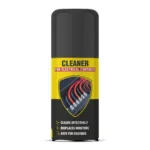
You can fix stick drift — when a character or the camera in a game moves on its own while the controller stick is released — by cleaning the stick potentiometer, if dirt is the cause. Use isopropanol-based NANOPROTECH Electrical contact cleaner: open the controller, disconnect the battery, apply the cleaner to the potentiometer and let it evaporate completely. If the potentiometer is worn, cleaning will not help and the stick module has to be replaced.
What you need
Why a stick drifts
A controller stick reports its position through two potentiometers, one for each axis. Inside each one a metal wiper slides along a resistive track, and the controller reads the stick position from the track's resistance. When the signal wanders while the stick is centred, drift appears. How to fix stick drift depends on the cause:
- dust, grease from fingers and small debris on the potentiometer track — cleaning removes this kind of drift;
- wear of the track and the wiper — cleaning gives a temporary result or does not help, and replacement is needed;
- weakened springs that return the stick to the centre — the module also needs replacing;
- lost calibration — it is restored in the settings.
How to clean a controller stick to stop drift — step by step
- Check the calibration. If your console or computer settings offer stick calibration, run it first: sometimes the drift disappears without opening the controller.
- Open the controller and disconnect the battery. Switch the controller off, unplug the cable, open the housing and disconnect the battery connector. The cleaner is flammable and is never applied to a powered device. If the controller is under warranty, have it opened by a service centre.
- Find the potentiometers. Each stick has two: small housings on the sides of the stick module, one per axis.
- Apply the cleaner. Always shake the can, then apply the cleaner with a short press precisely into the slot of the potentiometer. Do not flood the board, the button membranes, the soft stick caps or a housing with a rubberised coating.
- Work the stick. Move the stick to its limits several times, in circles and from side to side, so that the cleaner spreads along the whole track.
- Let the cleaner evaporate. It evaporates completely and does not need wiping off. Reconnect the battery only when no liquid or solvent smell remains on the parts. Repeat the treatment if necessary.
- Reassemble and test. Reconnect the battery, close the housing and check the sticks in the console settings or with a controller test on the computer.
Why it may not work
- The potentiometer is worn. Cleaning removes dirt but does not restore a worn track. If the drift soon returns, the stick module or the potentiometer is replaced.
- The cleaner was sprayed into an assembled controller. Through the gap at the base of the stick it gets onto the board and membranes, little reaches the potentiometer, and the battery is still connected inside. Clean the potentiometers only with the controller opened.
- Oil or grease was put into the stick. Oily products, including Dielectric spray, leave a non-drying film that collects dust. Potentiometers need a cleaner that evaporates completely.
- The controller was reassembled too early. If the battery is reconnected before the cleaner has fully evaporated, solvent stays inside the housing. Wait until no liquid or smell remains.
Safety precautions
- Work only with the controller switched off and the battery disconnected. The cleaner is flammable: do not spray it near open flames, hot objects or live equipment, including devices that are charging.
- The can is pressurised: keep it out of the sun, do not heat it above +50 °C, and do not pierce or burn it, even when empty.
- Work in a well-ventilated room.
- If the product gets into the eyes, rinse them with water; on skin, wash with soap and water. Keep the can out of the reach of children.
Frequently asked questions
What is stick drift on a controller?
An unintended signal from the stick: the character or camera moves although the stick is released. The usual cause is dirt or wear in the potentiometers of the stick module, less often lost calibration or weakened springs.
Can stick drift be fixed without replacing the stick?
Yes, if dirt is the cause: clean the potentiometers with contact cleaner, with the controller opened and the battery disconnected. If the track is worn, cleaning gives a temporary result or does not help, and the stick module is replaced.
What should I clean a controller stick with?
An isopropanol-based electrical contact cleaner: it removes dirt and evaporates completely. Oils, greases and protective products that leave a non-drying film are not put into potentiometers.
Can I spray cleaner into the stick without opening the controller?
We do not recommend it: the battery is connected, the cleaner is flammable, and it ends up on the board and button membranes rather than in the potentiometer.
Will the cleaner damage the controller's plastic?
It is safe for plastic and rubber when applied precisely. Do not treat soft stick caps, a rubberised housing or button membranes with it.
More solutions
- How to clean a computer and laptop with compressed air
- How to clean a throttle body yourself — step by step
- How to clean car upholstery yourself: seats, roof lining and carpets
- How to clean a fabric sofa at home: upholstery, stains and carpets
- How to remove rust from metal: car bodies, tools and fasteners
- How to remove a seized bolt or nut
Still have questions?
Describe your task and a NANOPROTECH technical specialist will suggest the right product and how to use it.